MDX词典阅读器
- 软件大小:2.4MB
- 更新时间:2025-12-27
- 软件语言:Chinese
- 软件授权:Free
- 所属分类:参考
- 适用平台:Apple
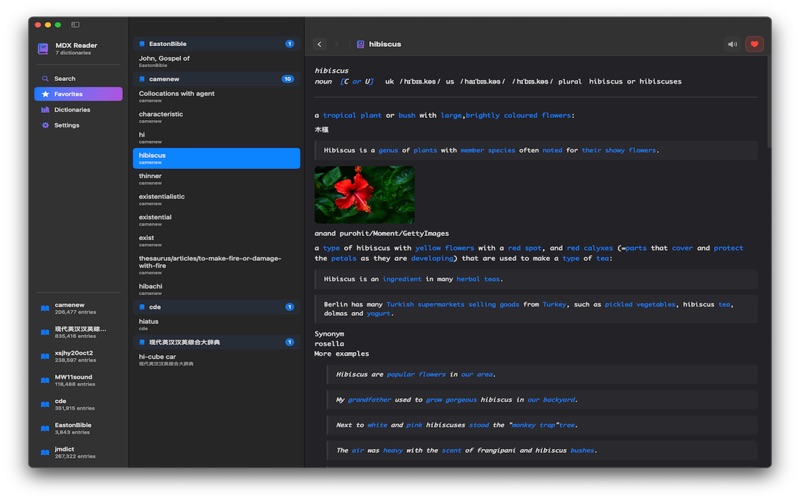
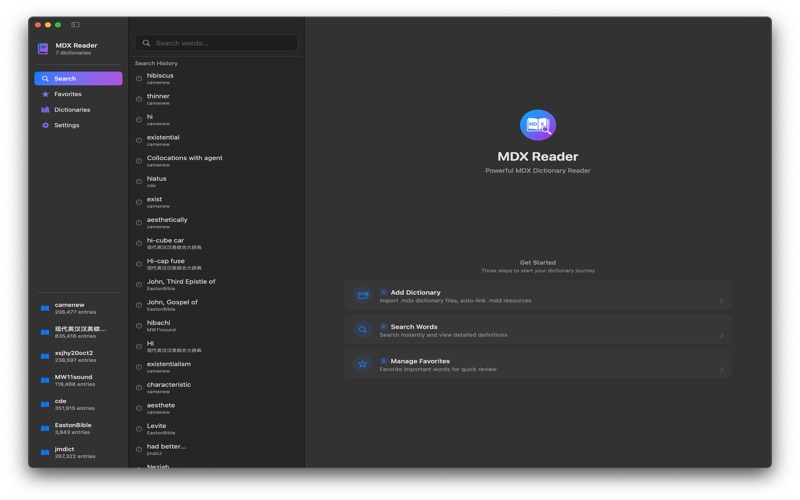
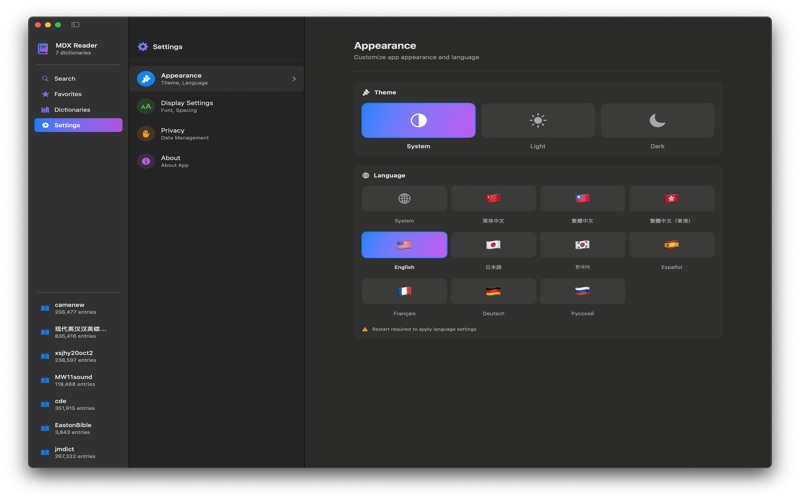
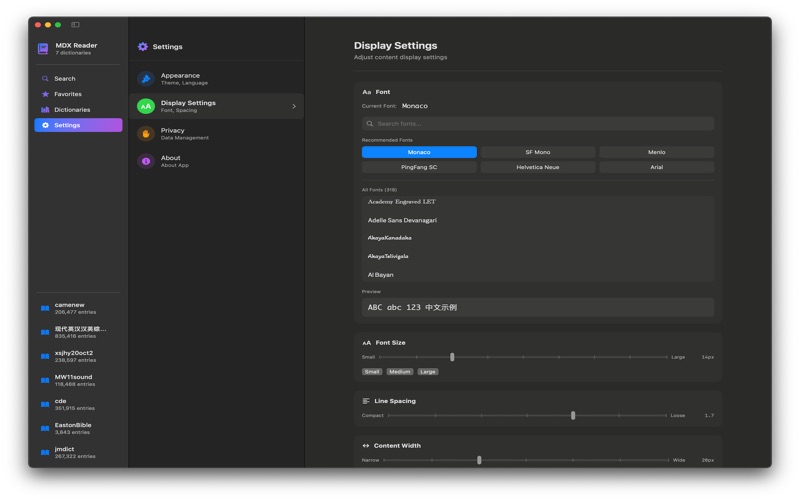
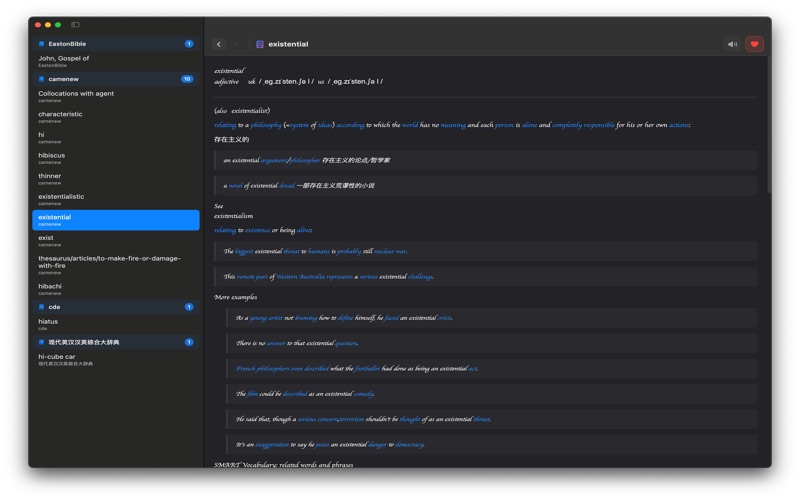
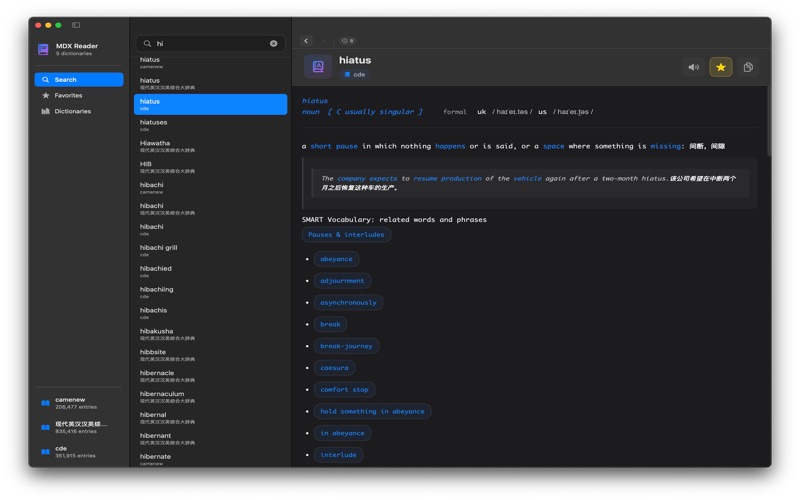
MDX 词典阅读器 - 您的专业离线词典工具 将您的 Mac 变成强大的词典阅读器。MDX Reader 支持离线阅读 MDX 格式词典,界面美观现代,功能强大。 主要功能 多词典支持 • 支持 MDX 1.x / 2.0 格式 • 同时打开多本词典 • 支持 MDD 资源文件(图片、音频) • 智能词典切换 强大搜索 • 实时搜索建议 • 多词典联合搜索 • 搜索历史记录(最多 30 条) • 快速键盘导航 收藏管理 • 一键收藏重要词条 • 按词典分组显示 • 快速访问常用词条 优雅界面 • 精美的深色模式 • 完善的浅色模式支持 • 可自定义显示设置 - 字体选择(所有系统字体) - 字号调整(10-24px) - 行距调整(1.0-2.5) - 内容边距调整 发音支持 • 系统 TTS 朗读 • 支持多语言发音 • 自动语言识别 隐私保护 • 100% 离线使用 • 不收集任何数据 • 不需要网络连接 • 数据完全保存在本地 多语言支持 • 简体中文 • 繁体中文(台湾) • 繁体中文(香港) • English • 日本語 • 한국어 • Español • Français • Deutsch • Русский 支持格式 • MDX 1.x / 2.0 • MDD 资源文件 • 多种编码(UTF-8, UTF-16, GBK) • 图片、音频资源 适用人群 • 语言学习者 • 翻译工作者 • 学生和教师 • 词典收藏爱好者 • 需要离线词典的用户 使用建议 1. 准备您的 MDX 词典文件 2. 打开应用,点击「添加词典」 3. 选择 MDX 文件导入 4. 开始搜索和学习 无需互联网连接,无需注册账号,立即开始使用! Ackground Color Customization: 20 Beautiful Color Themes: Choose from a wide variety of colors including warm tones (Warm White, Cream, Peach), cool tones (Sky Blue, Mint, Lavender), eye-care colors, and more Separate Light/Dark Mode Settings: Customize background colors independently for light and dark modes Real-time Preview: See color changes instantly in the dictionary content view Persistent Settings: Your color preferences are saved and applied automatically Complete Internationalization: 10 Languages Fully Supported: Chinese (Simplified, Traditional-Taiwan, Traditional-Hong Kong), English, Japanese, Korean, Russian, Spanish, French, German 224+ Localized Strings: Every UI element is now properly localized No More Hardcoded Text: All Chinese text in Privacy and Display settings now supports all languages UI/UX Improvements: Fixed Blue Focus Ring: Removed unwanted blue focus ring in search results list Fixed Compilation Errors: Resolved backgroundColor scope issues in PlatformWebView Improved Privacy Settings Layout: Data Storage UI now properly aligned with other cells Code Quality: Removed Deprecated Variables: Cleaned up old backgroundColorLight and backgroundColorDark variables Updated Color Management: Now using centralized ColorThemeManager for consistent color handling Available Color Themes: Warm Tones: Warm White, Cream, Peach, Amber Cool Tones: Sky Blue, Mint, Lavender, Ice Blue, Seafoam Neutral: Default, Light Gray, Pearl, Sand Eye Care: Eye Care Green, Eye Care Yellow Pink Tones: Rose, Cherry Blossom, Soft Pink, Lilac Special: Dark Mode, Pure Black (OLED) How to Use New Features: Open Settings → Display Find Background Color section at the top Choose different colors for Light Mode and Dark Mode Colors apply instantly to your dictionary content Your preferences are automatically saved
 鸿蒙版【斗罗大陆:魂师对决】官方下载_斗罗大陆:魂师对决鸿蒙手机APP免费下载
 鸿蒙版【黑暗料理王】官方下载_黑暗料理王鸿蒙手机APP免费下载
 鸿蒙版【奇葩战斗家】官方下载_奇葩战斗家鸿蒙手机APP免费下载
 鸿蒙版【方舟进化2中文版】官方下载_方舟进化2中文版鸿蒙手机APP免费下载
 鸿蒙版【LEGO® Builder】官方下载_LEGO® Builder鸿蒙手机APP免费下载
 鸿蒙版【天天三国】官方下载_天天三国鸿蒙手机APP免费下载
 鸿蒙版【全民奇迹】官方下载_全民奇迹鸿蒙手机APP免费下载
 鸿蒙版【球球英雄】官方下载_球球英雄鸿蒙手机APP免费下载
 鸿蒙版【恐怖奶奶故事】官方下载_恐怖奶奶故事鸿蒙手机APP免费下载